Lost
A downloadable game
Opening Page
"Two Sentence Pitch" :
A lone lost house cat prowls a shadowy city, where every alley hides new enemies, puzzles, and secrets waiting to be uncovered. Solve challenges and navigate the environment to get home safely.
"Two Minute Pitch" :
A lost house cat finds itself stranded in a dark, mysterious city, far from home. Each level is a platforming challenge filled with enemies—territorial strays, urban predators, and other hazards—that the cat must avoid, or fight to survive. Alongside these threats, the city is packed with challenges, such as moving objects to create new paths, flipping switches to open doors, or finding hidden routes to reach higher platforms.
Players will guide the cat through a mix of platforming challenges and minigame-style puzzles, which might include, chasing laser pointers, herding pigeons, or balancing on narrow ledges. Rewards like temporary boosts, helpful items, or access to secret areas give a sense of progression and accomplishment. Every leap, dash, and clever move brings the cat closer to home, while danger and cleverly designed levels keep players engaged, testing both reflexes and problem-solving skills at every turn.
Gameplay Overview
Movement/Attacks/Actions
The player is given several ways to defend themselves from the creatures of the streets:
- The player can perform a jump to reach platforms above the ground.
- A claw swipe, which is a quick and reliable way for dealing with weaker enemies.
- A pounce attack that launches the player forward dealing more damage to enemies and clearing some horizontal distance at the cost of having to charge it.
- A block that is able to negate the smaller amounts of damage received from the less threatening enemies.
- An evade is available to the player, it lets them jump back out of harm's way to avoid all damage, however it puts you out of attack range forcing the player to reposition themselves to get a hit in.
Actions/Animations
- Idle
- Animation: 1 sprite(no animation needed)
- Control: Default action, 0 input for action
- Run
- Animation: ~6 sprites, looped
- Control: hold ‘A’ moves left, hold ‘D’ moves right
- When ‘A’ or ‘D’ are released, player maintains small amount of momentum
- Jump
- Animation: ~4 sprites, hold final sprite until player lands
- Control: ‘Space’ is held down and the player's vertical position is increased until either player releases ‘space’, max jump height is released, or player hits an object/platform above them.
- Max jump height will most likely be 5 times the player's height.
- Jump will carry any momentum player had moving forward
- A jump can ONLY be initiated when player is on solid ground
- Claw Swipe
- Animation: ~3 sprites
- Control: ‘J’ is pressed and player swipes paw forward dealing damage to enemies if in range
- Brief cooldown between attacks, roughly a second.
- Damage box should be placed in front of player, covering cat’s paw as well as extending outwards for leniency
- Damage determined later
- Pounce
- Animation: ~4 sprites, Beginning of animation should be held as long as charge time is
- Control: ‘H’ is pressed and player lunges forward after a moment of charging, dealing damage to enemies if in range
- Longer cooldown in between pounces, maybe a few seconds
- Damage box over player and extending forward some
- More damage than claw swipe
- Block
- Animation: ~2 sprites, hold final sprite until player is no longer blocking
- Control: ‘shift’ can be either pressed or held down
- Brief cooldown
- When block is active, damage taken is reduced by 50%
- Evade
- Animation: ~3 sprites
- Control: ‘E’ is pressed and the player lunges back from where the character is facing.
- About a second of cooldown after its pressed
- Should go back about a player’s width or at least out of enemy’s attack range
- Interact
- Animation: NO CHANGE IN SPRITE NEEDED
- Control: ‘Q’ is pressed to interact with puzzles and other aspects of the environment
- Once in a puzzle screen, player should be locked to only puzzle related actions/inputs until puzzle is over or player leaves puzzle
- Fall
- Animation: 1 sprite(no animation needed)
- Control: NO INPUT
- When falling, the player keeps whatever momentum the player had before the fall
- Player should be able to move around a little bit while falling, but not nearly as much when on ground
- Damaged
- Animation: ~2 sprites
- Control: NO INPUT
- When damaged, player is knocked back slightly
- Post hit invincibility is crucial, maybe a second
- Player unable to input any actions when damaged(stunned)
- Death
- Animation: 1 sprites, (NO ANIMATION), hold sprite until game resets or player respawns
- Control: NO INPUT
- Player is unable to make any inputs when dead
Traversing Levels
The dark and dangerous city streets serve as the levels in this game. The player must navigate the level and its platforming challenges, while fighting off the local predators. Sprinkled throughout the level are Minigame puzzles, which are explained in depth below. Aside from the common enemies, each level has a few stray cats patrolling their territories. These strays are much more difficult and risky to take on, being able to deal permanent damage, in the form of losing limbs, to the player that will stick with them for the rest of their run. However, if the player chooses to fight them and win, they will be well rewarded with stat boosts, and a checkpoint. The levels themselves have an aspect of interactivity to them, pushing crates and climbing ladders to discover new routes.
Puzzles
The Minigame puzzles will provide short challenges that break up the platforming gameplay and add variety to the experience. These puzzles will appear on separate screens/special areas within the levels giving the player/cat tasks that require strategy and timing. Examples include, chasing a laser pointer across the screen, reaching into tight spaces to retrieve items, scaring or herding pigeons, trapping a mouse, untangling sting, balancing on ledges or solving repeat the sequence games that would focus on sounds and visual cues. Minigames can have a variety of controls but will mostly focus on using the arrow keys/WASD, and the mouse/clicking.
The minigames are designed to feel short, rewarding and on theme with the platforming world and successes will grant temporary boosts and rewards for the player such as extra HP/health, increased attack power, etc. Difficulty will increase as the game progresses
Enemy Overview
- Mice
In the streets of the City, hundreds of eyes peek out from the darkness. Those eyes belong to the hordes of mice that scurry about in the shadows. Serving as the basic fodder enemy, the mice are by far the most common threat found in the alleyways of the City, though luckily enough for the player they are as weak as they are numerous.
Idle
- Walk back and forward, switching directions when bumping into a wall
- Animation: Simple 3-4 sprite walk cycle
Player in Range
- When the player is within a certain distance of the mouse, it will stop and look towards the player, standing it’s ground
- Animation: No animation needed, maybe if time a sprite of it on hind legs
Player in Close Proximity
- When the player gets too close to the mouse, it will cause the mouse to attack the player
- Animation: No animation necessary, only if we have time in the end
- Rats
In the damp corners and broken gutters of the City, the rats thrive. Bigger than their scurrying cousins and twice as vicious, these vermin have grown fat on the scraps of the streets. They charge without fear, baring sharp teeth and ragged claws. Still, for all their bluster, a careful player will find them little more than a filthy obstacle.
Idle
- Walk back and forward, switching directions when bumping into a wall
- Animation: Simple 3-4 sprite walk cycle (reuse from mice)
Player in Range
- When the player is within a certain distance of the mouse, it will rush at the player
- Should be slow enough for the player to avoid if need be
- Animation: No animation needed(reuse from mice)
Player in Close Proximity
- When the rat is close enough to the player, it will attack the player on a set interval
- Animation: No animation necessary, only if we have time in the end
- Pigeons
Blotting out the street lights and casting shadows on the animals below, the pigeons swoop down–swiping at whatever they can get their tiny little talons on. Pigeons patrol the upper half of the screen flying high above the pavement below, occasionally swooping down at the player. However, their slow speed and predictable attack makes them easy pickings for a nimble cat.
Idle
- Will hover in air not moving
- Animation: Simple 3 sprite wing flap cycle
Player in Range
- When the player is within a certain distance of the mouse, it will begin swooping down towards the player in an arc, dealing damage on contact
- Animation: No animation necessary
- Stray Cats
While some kittens were lucky enough to be born in loving homes with owners that cared for them, these ferocious felines have been living in the City streets their entire lives. The Stray Cats are solitary enemies that patrol portions of the level, guarding their territory. While extremely dangerous to the player, taking one on can prove to be very advantageous in getting home. The opportunity for a stat boost, and a check point among other rewards can be very tempting for the player… that is if they don't mind risking a limb or two for it.
Idle
- Will wander it’s territory back and forward, turning around once reaching the end of its territory
- Animation: reuse player animations
Player in Range
- When the player is within a certain distance of the Stray it will run towards the player
Player in close proximity
- When the player is close enough, the stray cat will pounce at the player(reused from player’s code) and begin swiping at them(also reused code)
Player leaves Territory
- The stray cat will only chase after and attack the player while they are in it’s territory
Environment and Level Design Overview
Environment Design
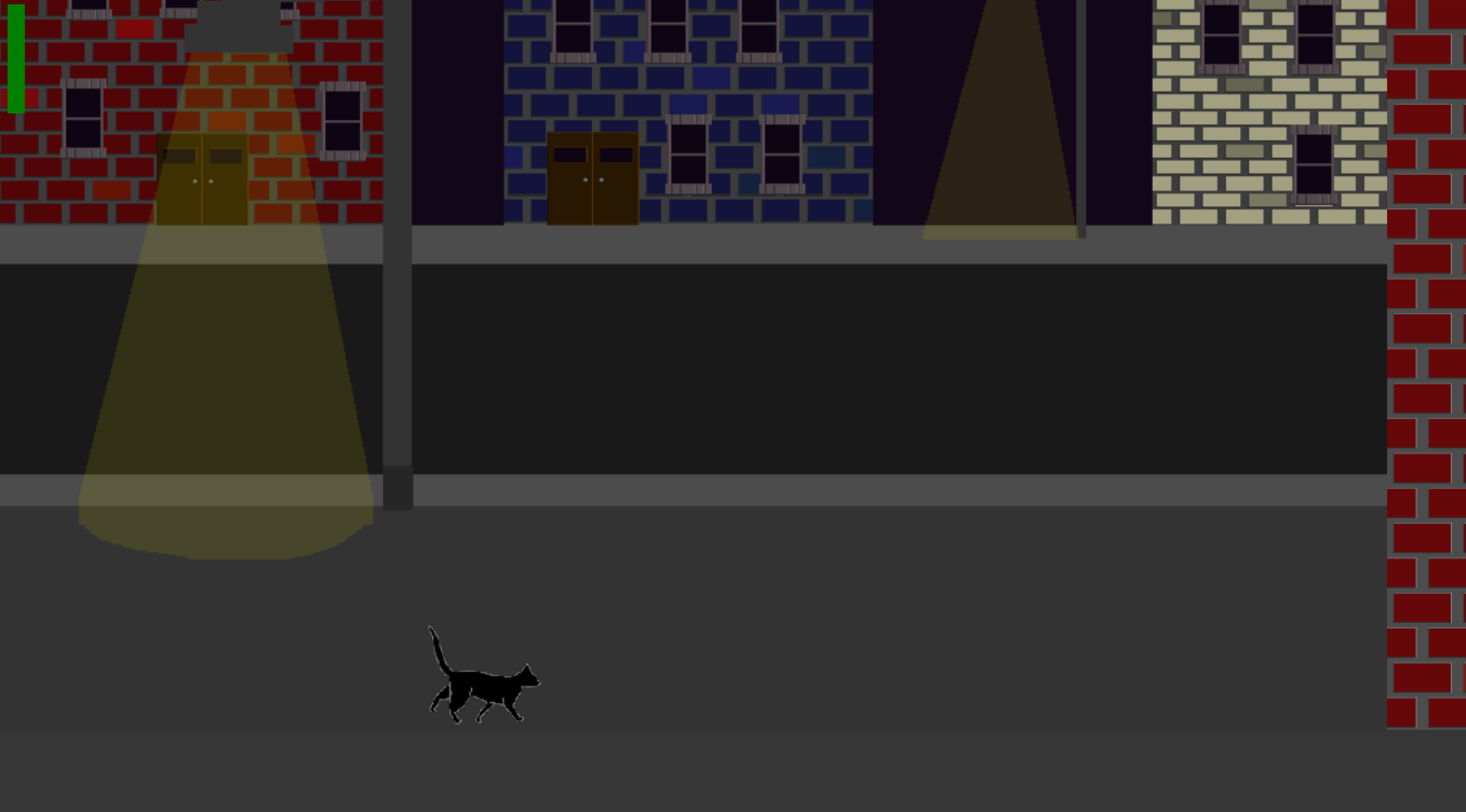
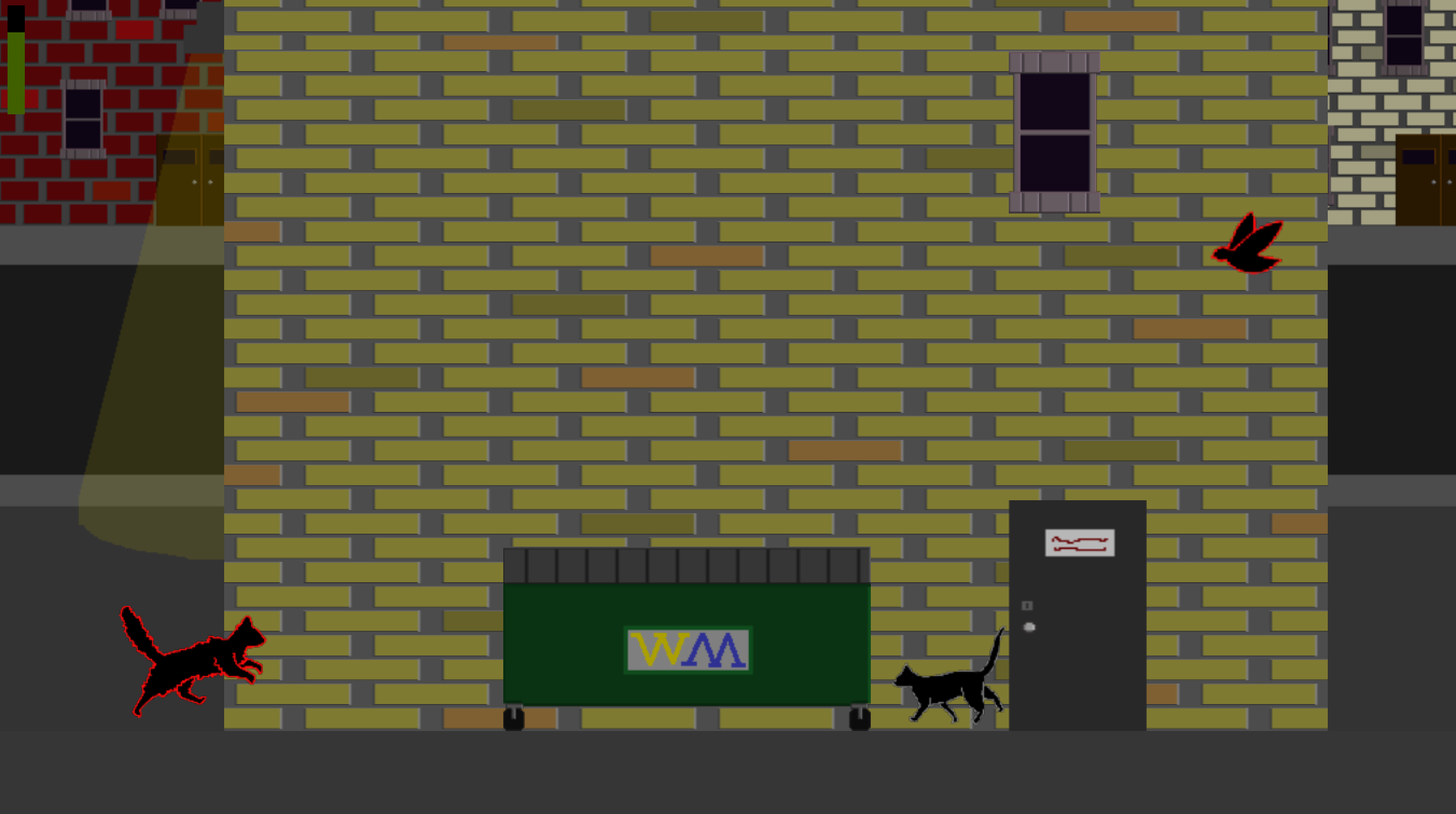
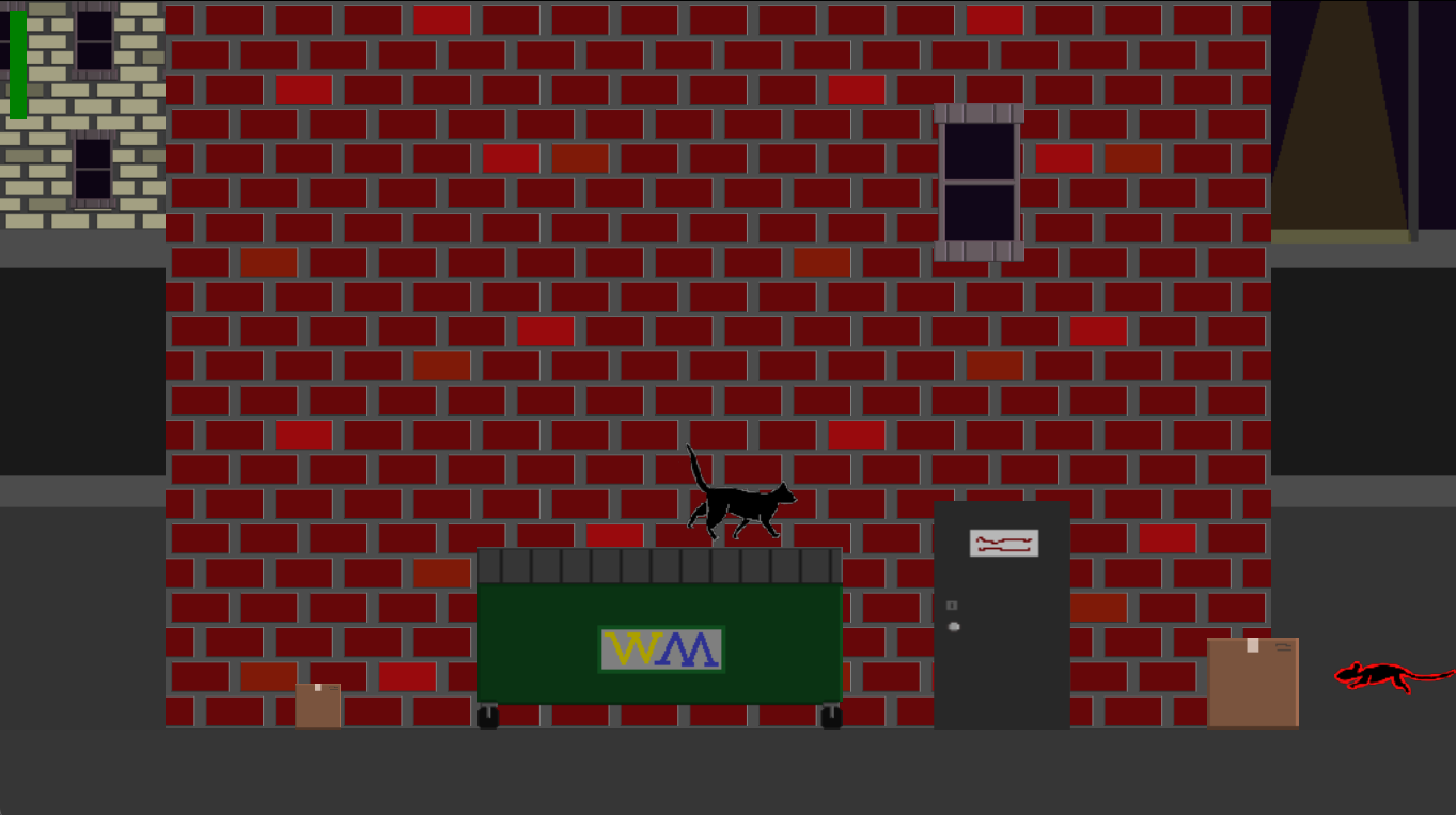
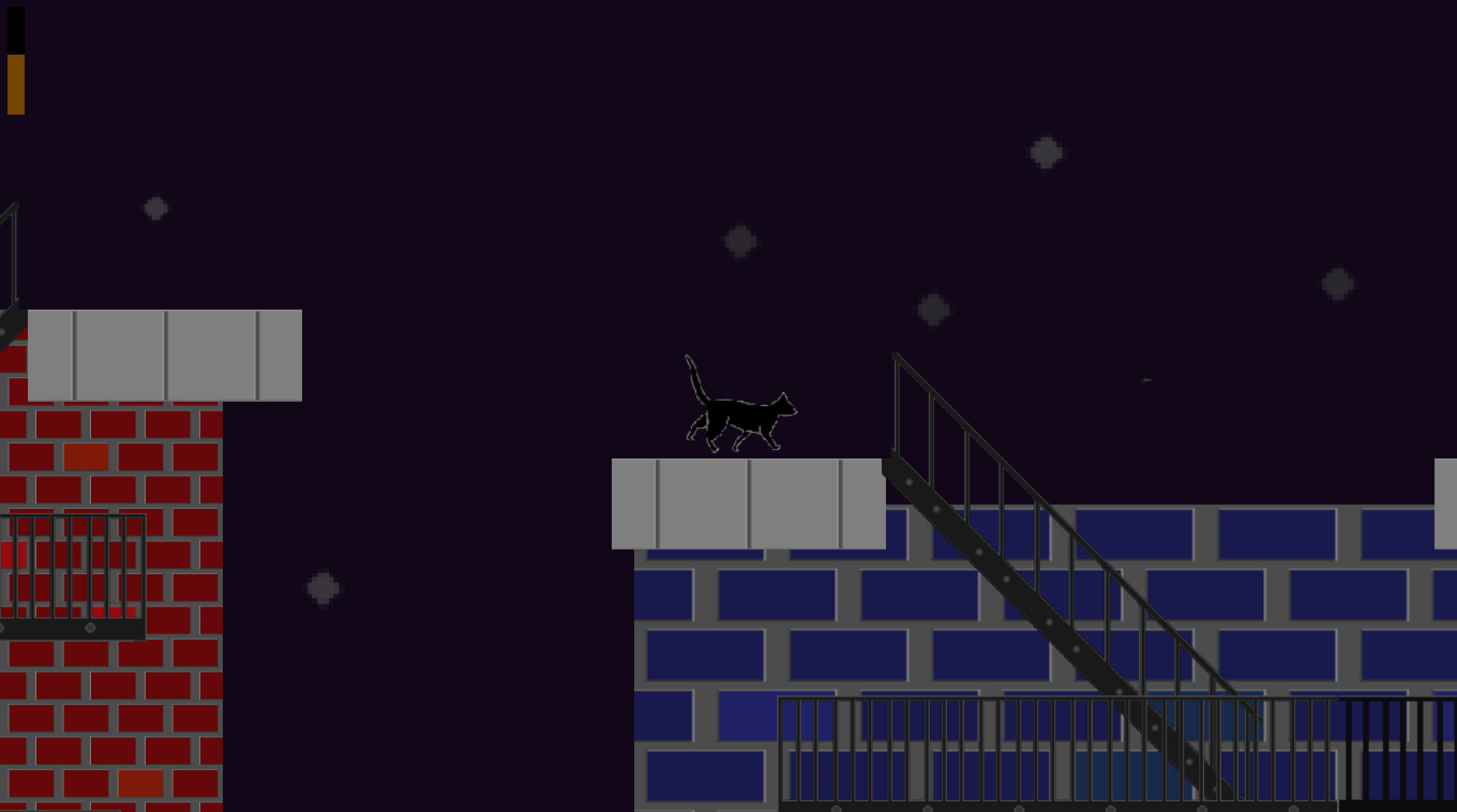
The aesthetics of levels will consist of a dark atmosphere, in a bad part of town. The sky shrouded in darkness, with only dim stars shining through to barely illuminate the dark streets. The street lights in the background will be dim, giving the player an unsettling feeling. Some parts of the environment, like boxes or dumpsters, are platforms for the player to stand on. This gives the environment a sense of depth to break the illusion of a still background.
Level Design
The game starts with the player going into a tutorial level to learn the controls for the game before playing through the actual level. Once the player gets to the end of the level, the game finishes and the player reaches the end of the game. The level structure is divided into 3 parts:
- Entering into the Level
- Navigating, Fighting, and Avoiding
- Escaping the Level
- Entering the Level
The player first enters the level, starting all the way on the left of level. The view the player gets is a side profile of the level, viewing it like a 2d platformer. The player will notice that the camera centers on the cat when the player travels far enough right, indicating that they are all the way on the left of the level. This will indicate that they need to traverse to the right in order to progress.
- Navigating, Fighting, and Stealthing
The levels will be structured to have a start to the level where the player can progress to the right. The player can interact with the environment, like pushing boxes or jumping on dumpsters and fire escapes to navigate through the level. The player may start coming across small enemies,which they will be able to engage in combat with such enemies, such as Mice or Pigeons, until they encounter special enemies which are Stray Cats. There are 3 Stray Cats that are set to wander a specific area in the level that the player must pass through to get to the end of the level. The player will have the option to fight stray cats or to stealth around them using their environment. These options will be divided into two routes, Fighting Route and Stealth Route.
- Fighting Route
The Fighting Route is where the player can defeat the 3 Stray Cats. When a player defeats a Stray Cat, the player will obtain the Stray Cat’s territory, stat boosts to their health and attack, and obtain a safe zone where the Stray Cat used to wander. The safe zones act as a checkpoint if the player dies, so the player can either choose to continue fighting or to stealth around. If the player loses a limb and then defeats the Stray Cat, the safe zone will save the current state of the cat. So if the player does die, the player will still have the same limbs they had when they reached the checkpoint.
The player can either use claw attack or pounce to deal damage to enemies. However, Enemies will be able to attack the player back, dealing damage to the player. The player can block these attacks if they react fast enough, taking less damage then what they would have. Alternatively, the player can evade the Stray Cat attacks to avoid damage.
Before each Stray Cat, there will be a puzzle the player can attempt to solve in order to gain temporary boosts to help in the fight against a Stray Cat, like a health boost. The puzzles are optional, but they can increase the player’s chances of success with beating the Stray Cats.
- Stealth Route
The Stealth Route will have the player trying to sneak past enemies. The player must sneak past Stray Cats in order to get to the end, making it a suspenseful path. The player doesn’t risk losing limbs by stealthing, however, the player will not get stronger and will be at a disadvantage if caught in a fight later on.
There are also harder puzzles the player can attempt to heal from any taken damage. These routes are short and bypass small segments in the level, but extremely useful for the player to use to avoid taking damage.
- Escaping the Level
The player, after taking either route, will reach the end of the level. The player can press the right arrow key and enter the next level. Then depending if the player is on the last level, the player will enter the end of the game, seeing what ending they unlocked after progressing through the game. If it is not the last level, the player will progress to the next level.
Puzzle Design
There will be roughly 2-3 puzzle minigames per level. Puzzles will add variety to the game, mixing environmental challenges with minigame interactions. Some puzzles will be built into the level design, like pushing trash cans or other objects to reveal hidden paths, flipping switches to open doors, or scaring pigeons to clear space. Rewards could range from temporary boosts (like stronger attacks) to items or currency, depending on what feels best for progression, however, a loss of a minigame will not result in any effects.
In addition, minigame puzzles will break up core gameplay. Examples include reaching through a gutter to grab an item, chasing a laser pointer, trapping a “mouse” by placing walls, or untangling a ball of string. Other ideas include balancing on a fence, solving sliding puzzles, or completing a sequence memory game that might focus on sounds like keypad tones. These puzzles are designed to stay in-theme with the cat experience.
PUZZLE IDEAS
- Rewards for minigames could be currency or lives. Most likely will actually be some sort of stat boost.
- Puzzles are sprinkled throughout the level, and completing one gives you a slight boost. They will be one time things so they don't get constantly used and abused for power
- Environmental puzzles
- Part of the level itself
- Pushing trash cans/ objects around to find new routes/ areas
- Finding switches or keys to open doors
- Minigame puzzles
- A separate screen fully devoted to a puzzle
- Reaching through a gutter to grab an item - click and drag
- Catch the laser pointer - Either a straight up click game or Follow the Leader
- Mouse Trap- Game where you have to trap a ‘mouse’ on a board by placing walls, (clicking) but every time you do it moves to escape
- Herd or Scare Pigeons- Round pigeons up into a specific area or vice versa scare all the pigeons away from your ‘base’. Click or touch based (This puzzle might be an environmental one rather than a minigame)
- Untangle a ball of string, click and drag
- Stay balanced on a fence, arrow keys or click focus
- Sliding puzzle for clues or food, probably also click
- Repeat the sequence game. Primarily noise and visual focus.
Art Direction Documentation
Sound Direction
The sound direction is going for a suspenseful, dark vibe, probably minor keys and maybe little jazz influence to make things stand out. Level music should carry the main mood, while puzzle sections can either have their own separate tracks or share a common theme that is a bit lighter. Also can use short music bits for things like starting or ending a level, and puzzle wins or losses, so players can get an audio cue.
For sound effects,( jumps, attacks, enemy movements, and spawns) should all have their own separate sounds however some might be excluded entirely. Battle music is still up for debate, but we could either add a dedicated track or just build intensity into the existing background music. Cat noises are technically an option, but the current thought is to skip them so the atmosphere stays immersive and doesn’t feel too silly. The overall goal is to keep things moody, but still fun to listen to while playing.
CURRENT WORKING BACKGROUND MUSIC: https://www.noteflight.com/scores/view/32f599f307fab197f340136c0835b0829173767b
- Music
- Level music (dark, suspenseful, minor key, possible jazz elements)
- Puzzle music (either separate tracks or shared puzzle theme)
- Short stuff for level start, level end, puzzle win, puzzle lose
- Option for battle music OR intensified normal music OR no change in music
- Sound Effects
- Jump sound
- Attack sound(s)- woosh or the sound that swords make when they are unsheathed.
- Enemy spawn, attack and/or movement
- Puzzle interaction sounds (if needed)- dings or clicks
Art Direction
Dark dusk/night background with grungy city alleyway designs to give the player a sense of danger being out in the unfamiliar city and push the player to head back home to safety. There will be few streetlights in the background to emphasise the darkness the player is fighting in. The smaller enemies (rats and pigeons) should look dirtier than the player with less polished edges, while medium to large enemies (stray cats) can be more or less polished. Item type sprites will include typical alleyway garbage such as trash cans, dumpsters, garbage bags, cars, etc.
We do not have the rights to any of the above images; they are purely used as reference and to describe the vibe/atmosphere we are aiming to achieve.
For the small enemy sprites there should be two to three variations of design to visually break up groups of the same exact enemy, the large enemies should have multiple variations to reduce the feeling of fighting the same enemy over and over again. Item type sprites can have variety but should be broken up with other items to reduce need for multiple designs.
- Enemies
- Rats: similar size to player to emphasize small main character, red outline
- Pigeons: between ½-¾ the size of the player, red outline
- Stray cats: same size or ¼ larger than player,fluffy, round, red outline
Player top left with grey outline, rat top right with red outline, enemy cat example bottom left red outline, enemy bird bottom right red outline. Approximate size relation of enemy to player.
^ cat running sprites
^ cat pounce sprites
^ cat claw swipe sprites
^ cat jump sprites
^ pigeon flying sprites
^ pigeon diving sprite
^ bat flying sprite
^ stray cat run
^ stray cat pounce
^ stray cat swipe
- Items
- Trash cans: varying sizes
- Boxes: varying sizes
- Dumpsters: between 3 to 4 times the height of the player
Approximate Timeline and Milestones
*Dates in Bold are the Canvas Due Dates*
Oct - 7 Concept art, sound and level ideas flushed out and updated in Doc
Oct - 8 Pitch Doc Due
Oct - 8 General Game Overview and Outlines for specific sections should be complete
Oct - 9 Decisions made on # of levels, (Platformer and puzzle seperate), General Artwork ready for use, Sound production begins, Level design and coding begins.
Game Design Document Due on Oct 12
Oct - 12 Level design mostly complete, beginnings of Actual Game are being produced, Art is beginning to be finalized, Sound is almost ready to add, Level coding has a good amount of work done, and mechanics are being worked out.
Check In Due Oct 31
Oct - 31 Level design, art and sound should be complete excepting final/last minute additions or fixes. Levels and puzzles should be playable and with at least one completed platformer and puzzle that need finalization. At this point we should not be adding more ideas or concepts to our game
Nov - 12 Levels should be nearing completion, Mostly coding bugs and mechanics should be the main bulk of tasks being completed. Any art, sound, and level design changes should be made by this point in time.
Game Prototype Due Nov 21
Nov 21-Dec 7 Game should be completed during this time, If it’s missing we need to add game start and end screens, any missing exposition, sounds, and art. Maybe a credits page upon game completion. Levels should be complete and edited on a case by case basis with bugs, feedback and other changes. Game should be ready to sell by Dec 6 or 7.
FINAL PROJECT AND PRESENTATION DUE DEC 8
Credits, TeamBio and Expected contribution fields
Sharlynne McKown - Main Puzzle Designer and Programmer, Sound and Music Composer
I am an Astrophysics major with a few years of academic and python coding experience, as well as a very long and diverse experience with music and instruments. This will be the first game I have ever helped create/produce.
Ashton Grant - Main Level Designer and Programmer
I am a Computer Systems Engineer Major and going to get a Computer Gaming certificate with a couple years of experience working as an IT technician. This is the first full fledged game I will help to produce.
Madison Garavaglia - Concept/General Artist, Programmer
I am an Interdisciplinary Sciences major focusing on Italian and the Computer Gaming certificate. I was a software engineering major for 3 years giving me experience coding in multiple languages. This will be the second game I have ever worked on, but the first one with multiple levels.
Austin Melies - Main Platforming Designer, General Artist, Programmer
I am a Computer Science major going for the Computer Gaming certificate. I can code in python and am currently learning Java in my classes. Though I have made a few small games in my spare time, this will be my first big Game design project I have worked on.
Download

Leave a comment
Log in with itch.io to leave a comment.